How to Make the LISA SaWaDiKa Dance AI Video
Upload one clear photo, choose Solo Dance, the music video or your pet, pick 480p or 720p HD and press Make my video. A few minutes later you download a 15-second MP4 of you doing LISA's SaWaDiKa routine. Below are the photos we tested, the videos they made and what we learned along the way.
LISA's SaWaDiKa in 30 seconds
- Music video out
- 4 Sep 2026
- YouTube views in about 34 days
- 200M+
- The chorus routine
- 15 s
SaWaDiKa is LISA's spelling of sawatdee ka, the polite Thai hello, and the pre-release single from her EP PRESS PLAY. The music video, directed by Bang Jae Yeob and shot around Bangkok, came out on 4 September 2026 and passed 200 million YouTube views in about 34 days, the first K-pop video of 2026 to get there (Gulf News).
The chorus became the SaWaDiKa challenge on TikTok. On 5 September an AI ginger cat in cat-ear headphones danced it, and by October AI remakes were putting anyone into the routine. That AI version is what this guide makes. For the word itself, see what Sawadika means.
The 15 seconds you will dance
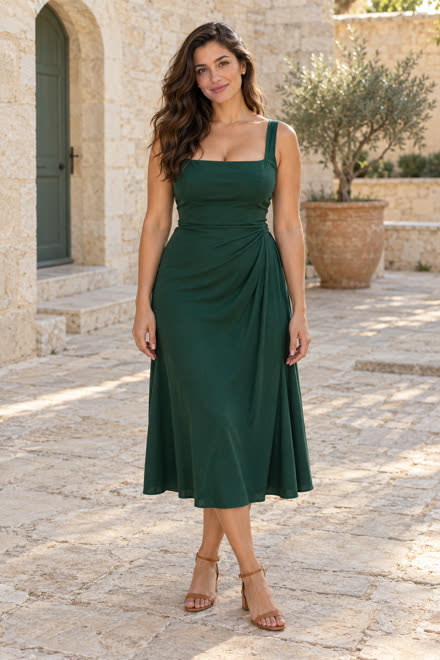
Every take follows the same chorus routine in one continuous shot. You do not learn a step: the moves come from the reference, your photo decides who dances. These frames are from the green-dress take.
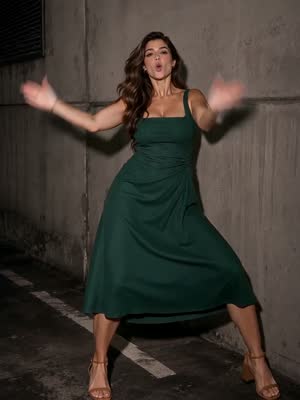 0–1.5 sWide stance, arm sweep, quick hand flicks
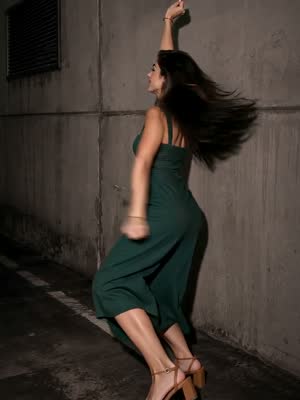 1.5–3 sBoth arms up, then a turn with a hair swing
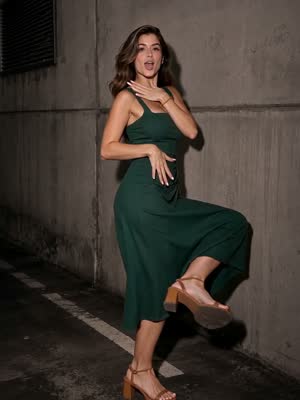 3–5 sSharp arm accents, a kick, a knee lift
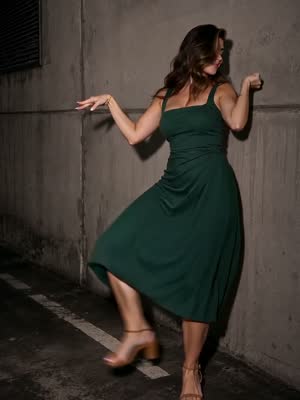 5–7.5 sArms to the side, side kick, hair flip
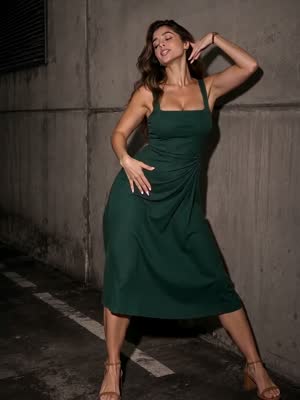 7.5–10 sHip sways and hand flicks by the face
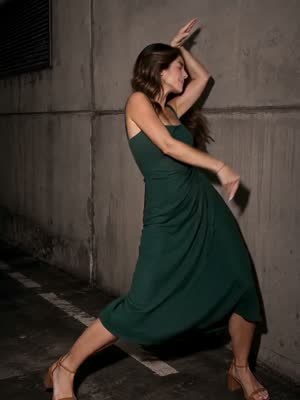 10–12.5 sArm accents, diagonal steps, a turn
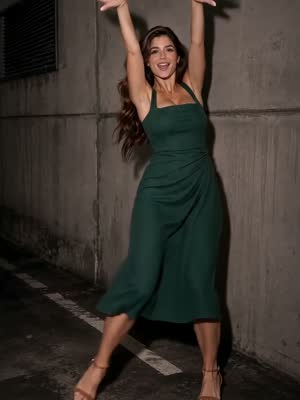 12.5–15 sThe wai, arms up in a V, hands behind the head
Pick your version of the trend
The routine and its timing stay the same in all three; what changes is who dances and where. Solo Dance and My pet come out vertical for TikTok and Reels. The music video is horizontal, with seven shots and a masked crew.
Step by step: from one photo to the LISA SaWaDiKa AI video
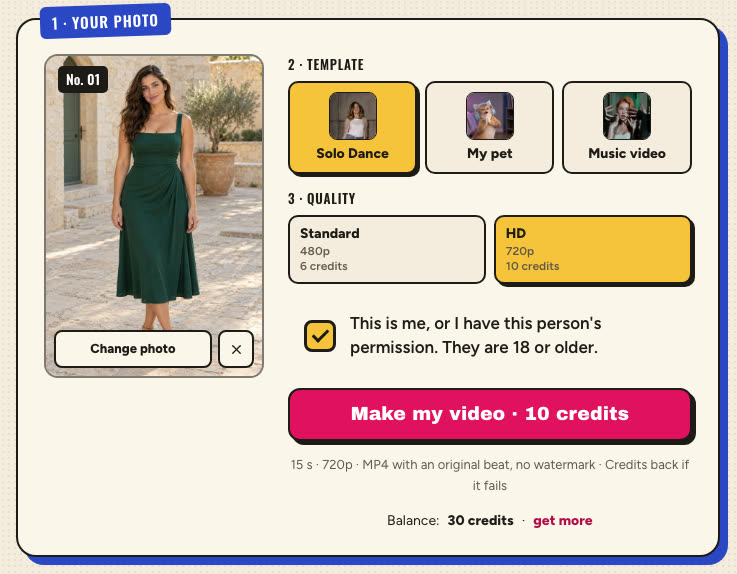
Upload one photo
Sign in and add a JPG or PNG of one person. Head to feet is best: whatever you wear in the photo is what you wear in the video.
Pick the template and quality
Solo Dance, My pet or Music video, then Standard or HD quality. The button shows the credits before you press it.
Confirm the photo is yours
Tick the box: it is you, or an adult who agreed. Fill these in any order; everything is checked when you press Make my video.
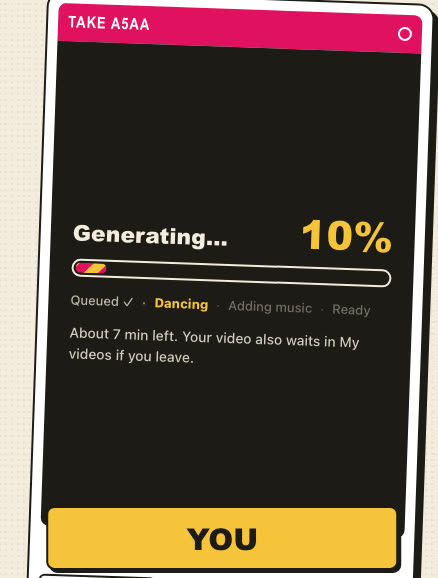
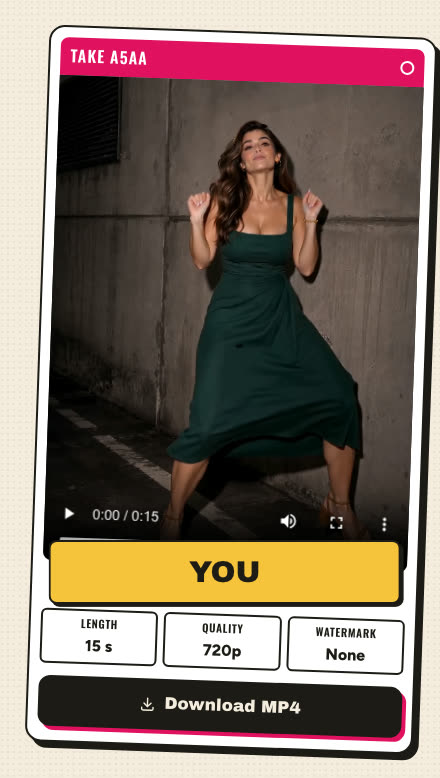
Behind the button, the site sends your photo and a fixed dance template to the video model. For Solo Dance and pets it is ByteDance Seedance 2.0 Mini with a prompt we tested: it generates a new video of the person in your photo, with your face, hair and clothes, following the template's scene, moves, camera and timing. For the music video it is Kuaishou Kling 3.0 Omni, which edits the template video so the person in your photo plays the lead in every shot.
Our test takes: photo in, video out
Every sample on this site was made here from a real photo, shown with permission. Here is what each one taught us about picking the photo.
Full body, everyday clothes
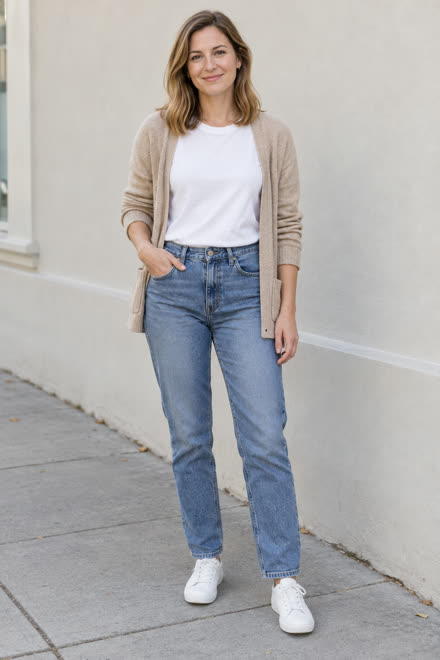
A selfie works, but the AI picks your trousers
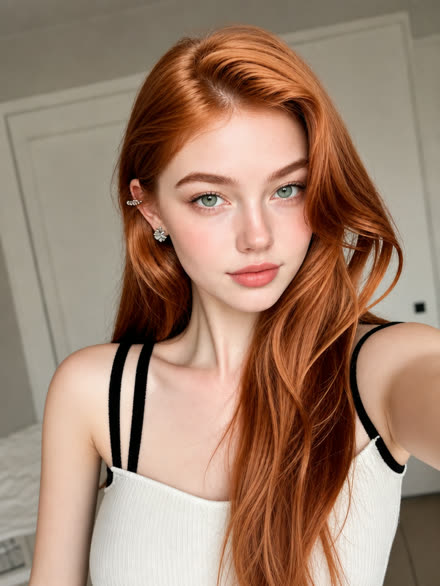
The music video needs a sharp face
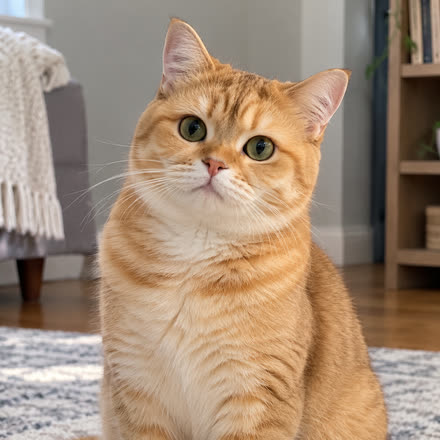
Pets: the coat comes from the photo, the outfit from the routine
When a take goes wrong
- The face looks soft. Use a sharper, front-facing photo in even light, without sunglasses or a filter, and choose 720p HD.
- The original dancer shows up for a moment. It happens now and then in the wide shots of the music video. Make another take with a clearer photo.
- Hands or legs look strange. Use a photo with the arms away from the body and the whole figure in the frame.
- The photo is refused. Celebrities, public figures and photos that may show a minor are blocked. Your credits come back.
A take that fails returns its credits automatically. A take that finishes but that you do not like still uses them, so the photo is worth a minute of care.
Other ways to make it: CapCut or a prompt
A CapCut AI template
CapCut has Sawadika AI templates made by its creators. Open one in the app, add your photo and export. It is free, but each template is a fixed edit: what it changes and how close it stays to the moves depends on the template.
A prompt in Dreamina or Higgsfield
Video tools that take a reference image and a reference video can do it with the prompts below. Add your photo as image 1 and a dance clip you are allowed to use as video 1. You get free trial credits, then pay per video, and every tool reads prompts a little differently.
| Way | You need | Cost | Control |
|---|---|---|---|
| Sawadika Dance AI | One photo | From $6.99, credits back if it fails | A fixed, tested routine |
| CapCut AI template | One photo | Free | A fixed template edit |
| Dreamina or Higgsfield | A photo, a dance clip and a prompt | Trial credits, then paid | The most control and the most work |
Weighing them up? All four ways compared, with a checklist before you pay.
Copy-paste SaWaDiKa dance AI prompts
Starting prompts for tools that take a photo and a dance clip. [Image 1] is your photo and [Video 1] a dance clip you may use. The last line asks for new music: tools refuse output that sounds like a copyrighted song.
Recreate the dance in [Video 1] with the person in [Image 1] as the dancer: the same moves, timing, camera and setting as [Video 1]. Keep the face, hairstyle, body shape and clothes from [Image 1] in every frame, not the outfit of the dancer in [Video 1]. One continuous full-body shot, natural anatomy, no text or watermark. Sound: a new, original upbeat dance beat, no vocals, no existing song.
Recreate the dance in [Video 1] with the pet in [Image 1] as the dancer, standing on its hind legs: the same moves, timing, camera and setting as [Video 1]. Keep the species, fur colors, markings and face from [Image 1] so its owner recognizes it. Real paws, never human hands, no extra animals, no text or watermark. Sound: a new, original upbeat dance beat, no vocals, no existing song.
Describe the setting of your own clip in the first sentence, and name what the original dancer wears so the model does not copy it.
Why it is not LISA in the video
This is a fan-made, unofficial tool. A finished video never contains LISA's face, footage or recording: the dance templates are AI-made references, every video is generated anew from your photo, and the soundtrack is a new AI song cut to the routine. That is also why the result looks like you, in your own clothes, rather than a copy of her outfit.
Unofficial fan-made tool. Not affiliated with LISA, LLOUD or RCA Records.
Post it with the trending sound
Every video comes with a new AI song, never the copyrighted track. To ride the trend, add the official sound in the app you post to:
TikTok
Upload the MP4, tap Add sound, search for SaWaDiKa by LISA and pick the official sound, then lower the original audio.
Instagram Reels
Add the song from the Audio library before you post; keep the AI song underneath or mute it.
Hashtags
Use the ones people search with the trend: #sawadika #lisasawadika #sawadikachallenge #sawadikadance, plus #aidance.
AI label
Turn on the AI-generated label where the app offers it. TikTok requires it for realistic AI video, and it keeps the post safe.
FAQ
Is there an official LISA SaWaDiKa AI filter?
Not that we know of. This site, like the other AI tools for the trend, is unofficial and not affiliated with LISA, LLOUD or RCA Records.
Can I make the video with a photo of LISA?
No. Photos of celebrities and public figures are refused. Use a photo of yourself, or of an adult who agreed to it.
Does the video play LISA's song?
No. It comes with a new AI song made in the same spirit. Add the official SaWaDiKa sound in TikTok or Reels when you post.
Can I make it for free?
Try a CapCut AI template, or copy the prompt above into a tool with free trial credits, such as Dreamina or Higgsfield, and add your photo plus a dance clip. Results vary more than with a fixed reference.
Do I need to learn the dance?
No. The moves come from the reference video; your photo only decides who dances.
How long does one take?
Usually a few minutes. A progress bar shows each stage, and the site can send a browser notification when the video is ready.
Is the video vertical or horizontal?
Solo Dance and My pet are vertical, ready for TikTok and Reels. The music video is horizontal, 4:3.
How much does one LISA SaWaDiKa AI video cost?
Solo Dance or a pet: 6 credits in 480p or 10 in 720p HD. The music video: 10 in 720p HD or 20 in 1080p HD. Packs start at $6.99 for 10 credits, and a take that fails gives its credits back.